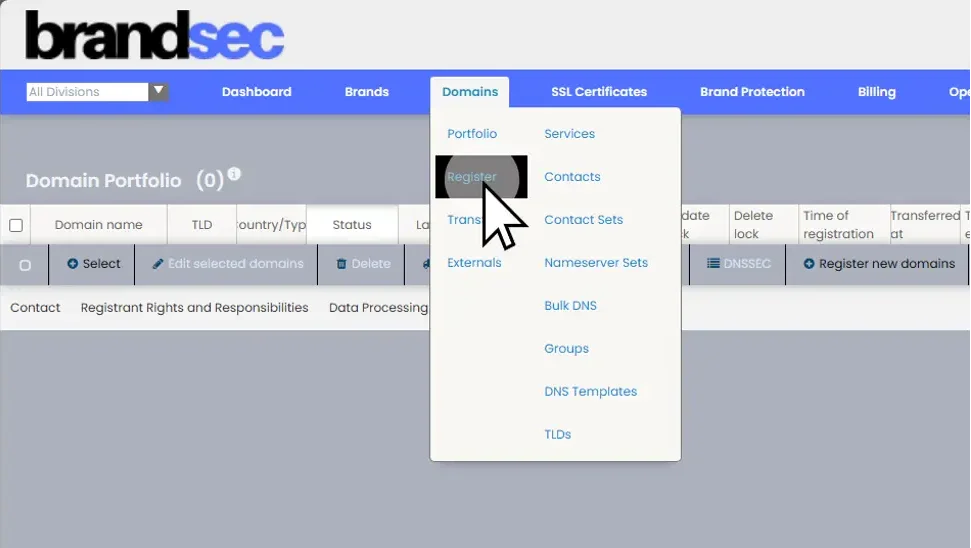
When logging into your portal, then from your dashboard area you will be to choose ‘Domains’.
2. Click "Domains" and Choose "Register"
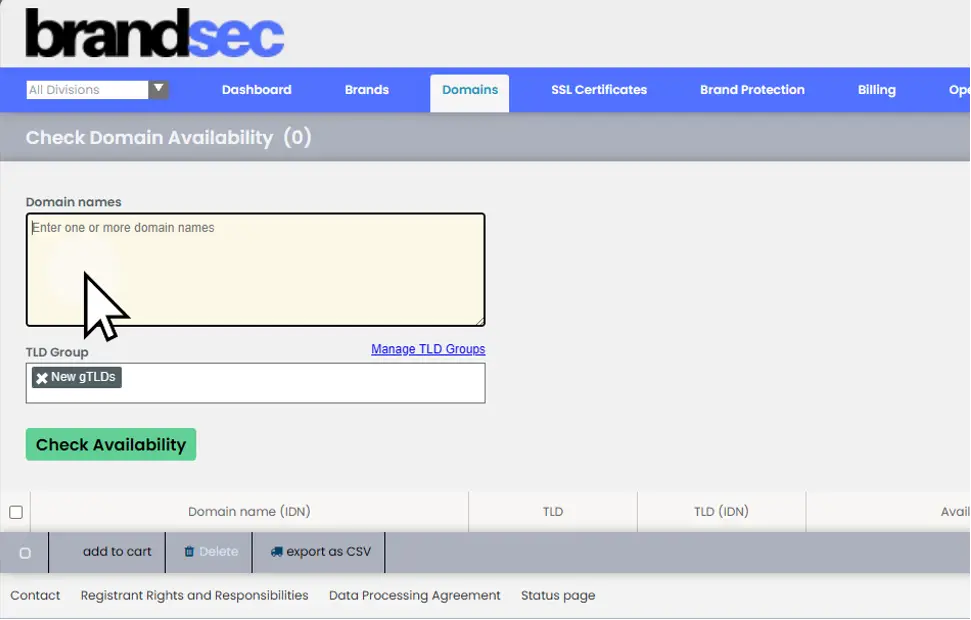
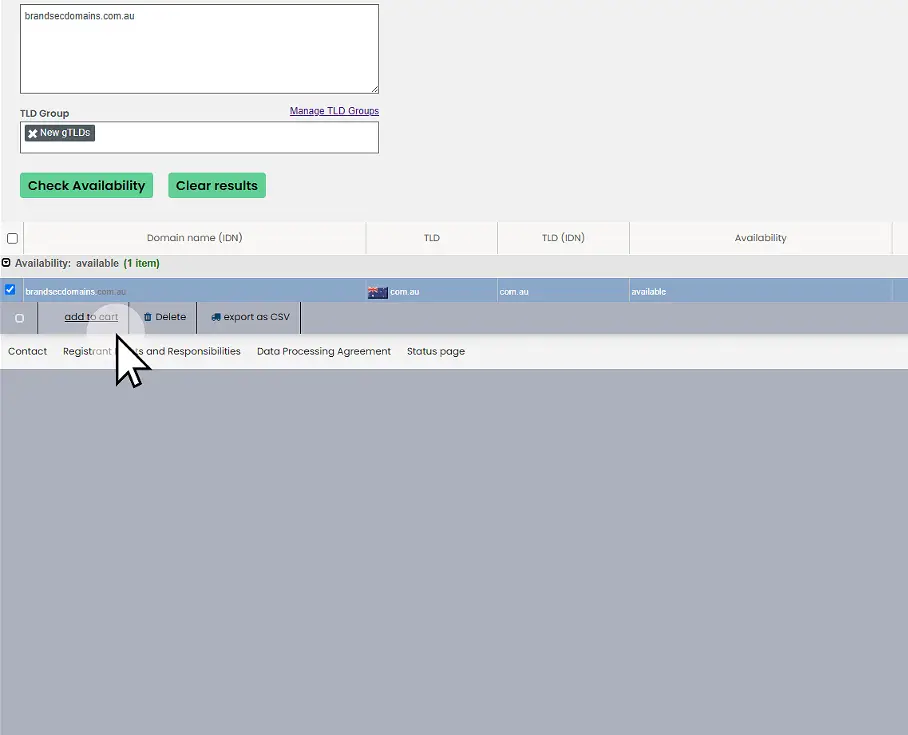
Choosing “Register” will take you to the registration page where in the “Domain names” textbox you will be able to enter the domain name or the brand you are looking to register.
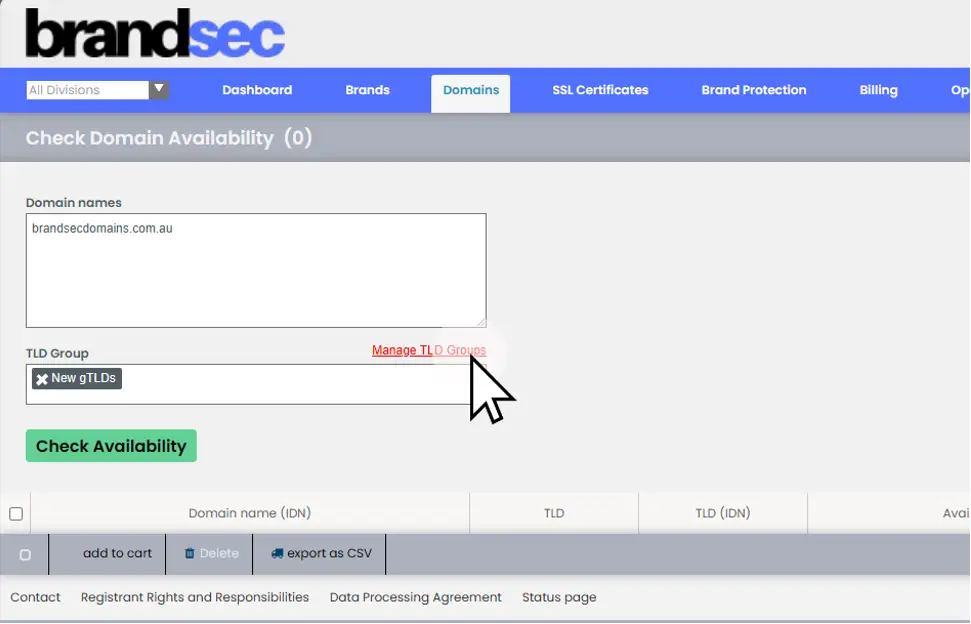
3. Click "Manage TLD Groups"
If you are looking to register a brand in specific regions or industry segments, you can choose a preset group of domain extensions, this will list the name against the extensions and show the availability of your brand in that specific region or market segments.
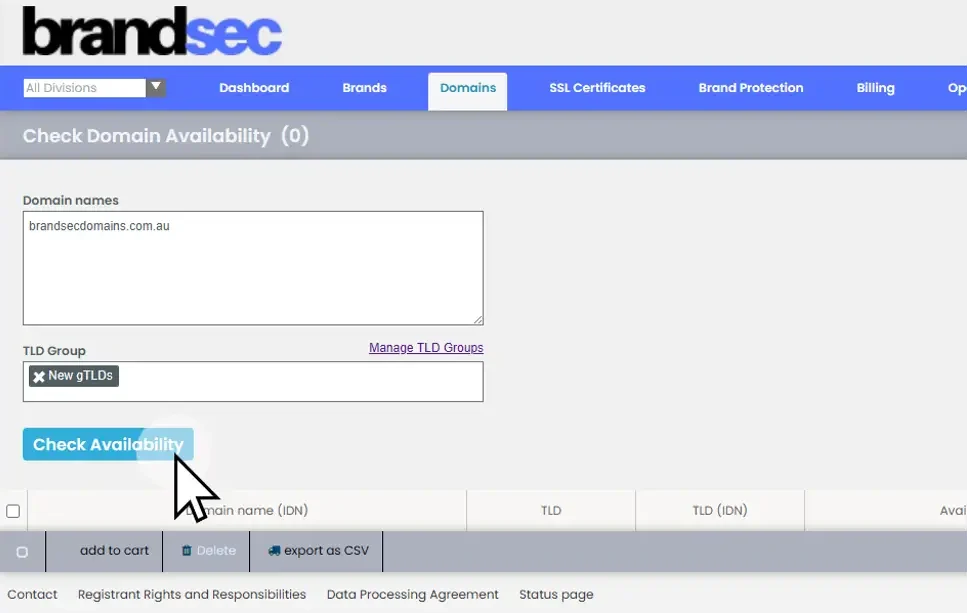
4. Click "Check Availability"
When you have chosen your domain(s) or brand that you are looking to register, then by choosing ‘Check Availability’ the system will check the availability and provide the results below.
5. Click "add to cart"
Select the domain(s) or brand that you are looking to register by ticking the box next to it, you add it to your cart.
6. Click "Edit"
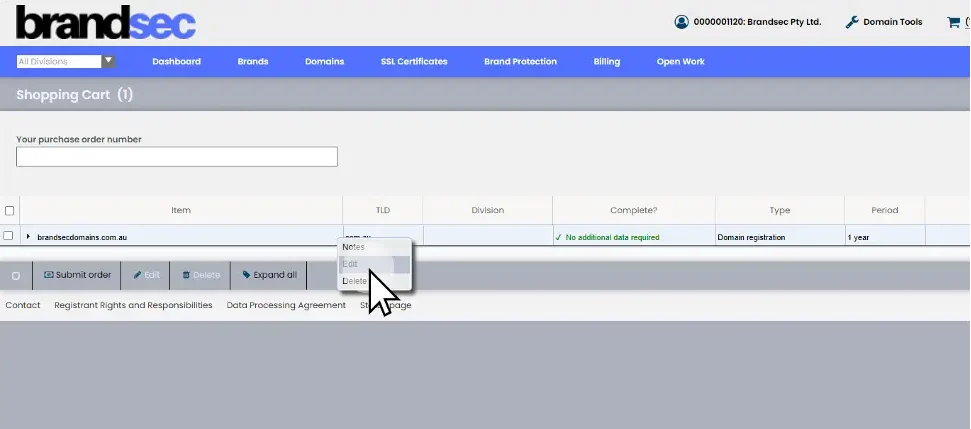
When you access the shopping cart, you will see the domain(s) that you have wanted to register.
The system will automatically assign your default registration details to the registration.
For countries where additional information is required to complete the registration, under the header “Complete” it’ll state, ‘Additional Information Required’, you can access the additional information by clicking on the link there or via the burger menu next to the domain and clicking on “Edit”
7. Click "General Information"
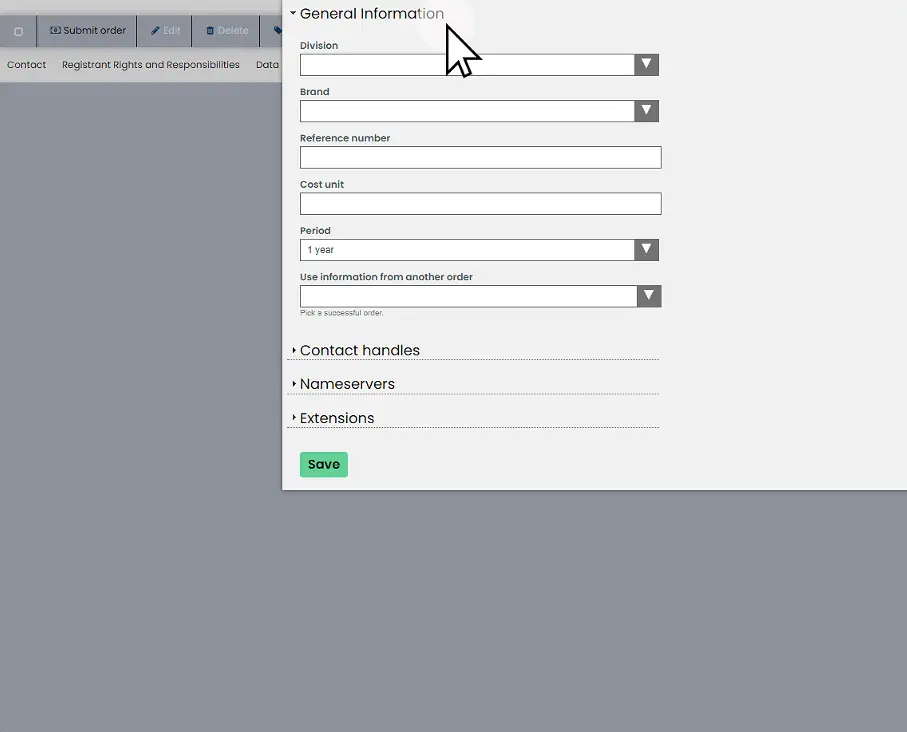
General Information is where you can assign company specific information such as divisions, brands, reference numbers, cost units (PO info), extend the registrations period from 1 year to multiple years, or assign details from a previous order.
8. Click "Contact handles"
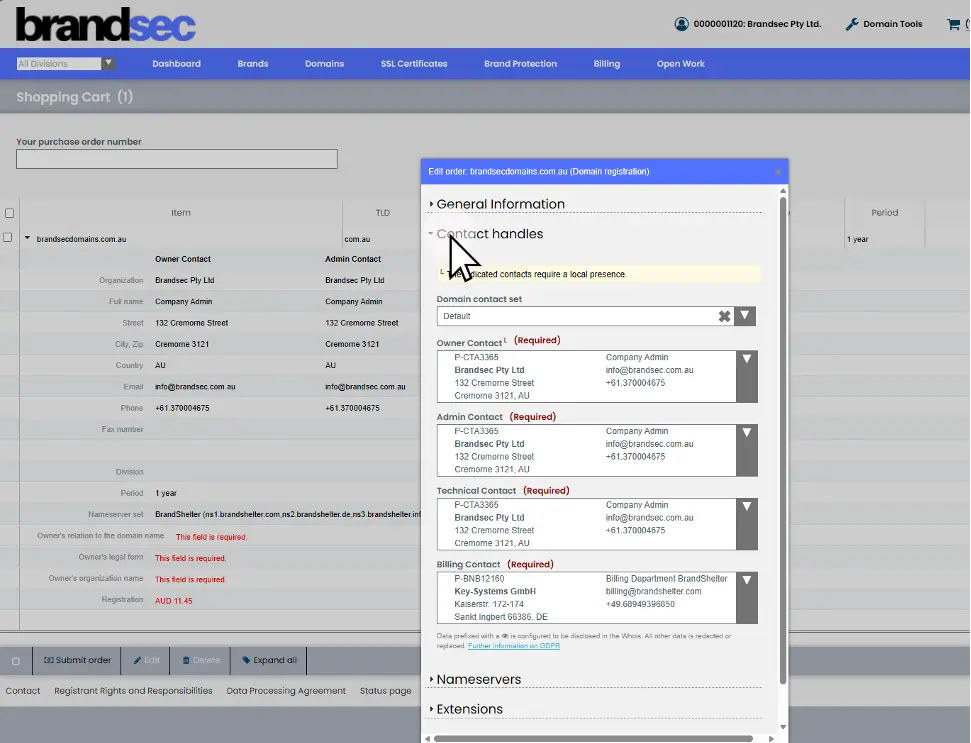
The system will use your default registration details; you can also call on or other contact handles to use for your registration.
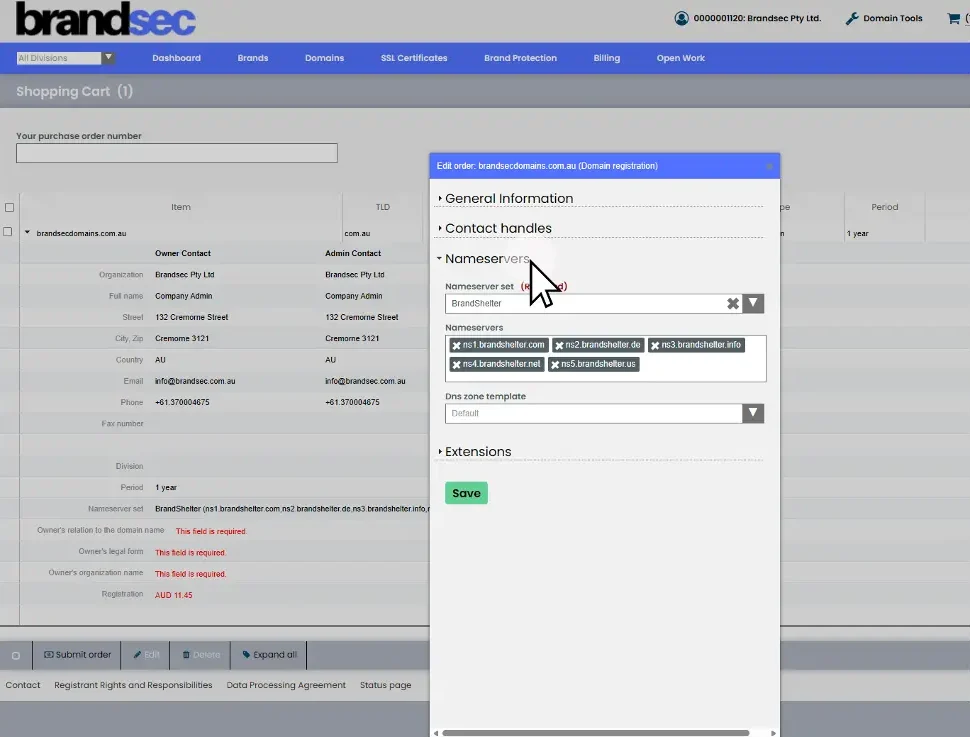
9. Click "Nameservers"
The name servers will show the default name servers; you can change this to saved name servers sets or other name servers preferences.
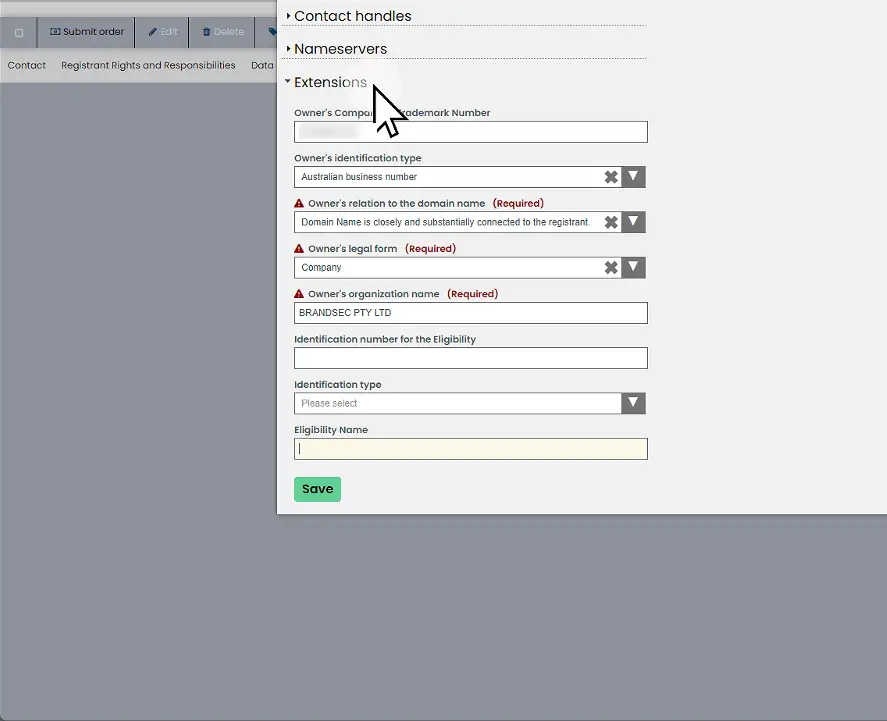
10. Click "Extensions"
To comply with registry requirements, it is important to enter correct information at the time of registration to ensure the domain get registered and is in compliance with registry requirements.
For Australian domains only use the top 4 fields,
• ‘Owner’s company or Trademark Number’, this is your business ABN
• ‘Owner’s identification type’, this relates to ABN or ACN of the busines
• ‘Owner’s relation to the domain name’ choose one of the options
• ‘Owner’s legal form, usually company or other legal form
• ‘Owner’s organisation name’, this need to be the business name that matches your ABN or ACN exactly
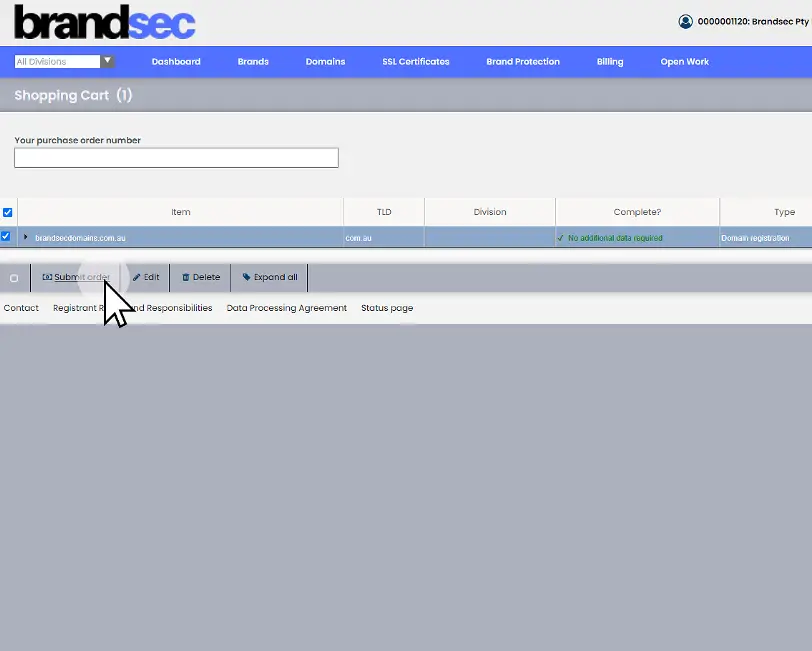
11. Click "Submit order"
The order will show the registration name, Extension, Division (if noted), and cost.
If happy with these details submit the order.
Most TLDs will register automatically, and you will receive a notification once registration is successful. If additional information is required, Brandsec will contact you.
About brandsec
brandsec is a team of highly experienced domain name management and online brand protection experts. We provide corporate domain name management and brand enforcement services, helping brands eliminate phishing platforms across the internet. Supporting some of the largest brands in the region, we offer innovative solutions to combat threats across multiple industries.